How to migrate databases to cloud with controlled risk and minimum impact. Covers assessment, replication strategy, cutover planning, rollback, performance validation, and compliance considerations.
Database migration is the highest-risk, lowest-margin-for-error workstream in any cloud journey. Infrastructure can be rebuilt. Application containers can be redeployed. But a corrupted or incomplete database migration means lost transactions, broken referential integrity, and a recovery timeline that nobody wants to explain to the board. After leading dozens of database migrations across financial services, retail, and SaaS environments, the pattern is clear: the migrations that succeed are the ones where the team spent more time planning than executing.
This guide covers the end-to-end process for migrating relational databases to cloud, with a focus on AWS managed services. The principles apply regardless of provider, but the tooling references are specific to what we deploy most often in production.
Assessment: Know What You Are Moving
Every failed migration we have investigated traces back to an incomplete assessment. The team knew the table count and the data volume. They did not know about the 47 stored procedures with business logic, the cross-database joins between the order system and the billing system, or the nightly batch job that locks three tables for 90 minutes.
Assessment is not a checkbox exercise. It is the phase where you discover the constraints that will shape every decision downstream.
Database Assessment Checklist
- Schema inventory: tables, views, indexes, constraints, partitions
- Stored procedures, functions, and triggers with dependency mapping
- Data volume per table and growth rate over the last 12 months
- Cross-database references and linked server connections
- Application connection patterns: connection pooling, ORM behavior, direct SQL
- Scheduled jobs, ETL pipelines, and batch processing windows
- Current backup strategy and recovery point objectives
- Character encoding and collation settings across all databases
- Database-specific features in active use: CLR assemblies, spatial types, XML indexes, full-text search
- Current performance baselines: top 50 queries by execution time and I/O
"The database you think you have and the database you actually have are never the same thing. The assessment is where you close that gap."
For large estates, automated discovery tools accelerate this phase. AWS Schema Conversion Tool provides a migration assessment report that identifies conversion complexity by object type. Third-party tools like Ora2Pg or SQLines offer similar capabilities for specific engine pairs. But no tool replaces reading the stored procedures and understanding the business logic they encode.
For every database, identify every application, service, and batch job that connects to it. A migration plan that only considers the database in isolation will fail when three applications you did not know about start throwing connection errors at cutover.
Choosing a Replication Strategy
The replication strategy determines your migration window, your downtime budget, and your rollback complexity. There are two fundamental approaches, and the choice between them is driven by data volume and tolerance for downtime.
Full Load Migration
A full load migration dumps the entire dataset from source, transfers it, and loads it into the target. This is the simplest approach and the right choice when the database is small enough to transfer within an acceptable maintenance window. For databases under 100 GB with a 4-hour maintenance window, a full load is often the fastest path to completion.
The limitation is obvious: the source database must be quiesced during the transfer, or you accept that any writes during migration will be lost. For production databases with continuous traffic, this means downtime.
Change Data Capture (CDC)
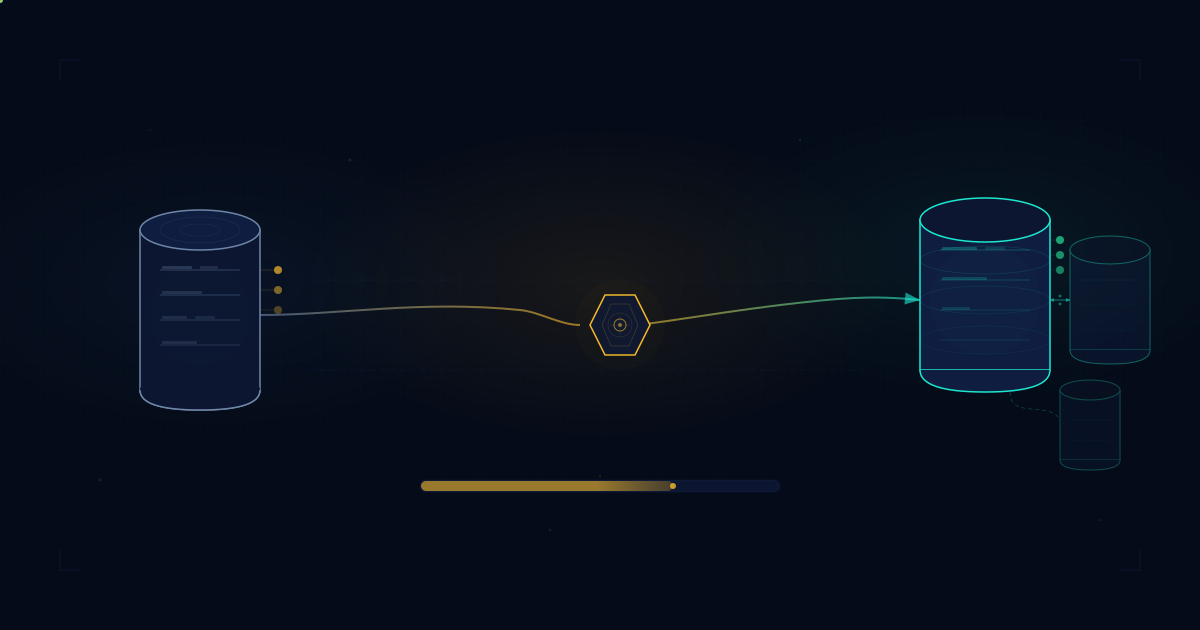
CDC replication starts with an initial full load, then continuously captures and applies changes from the source to the target. The source database stays operational throughout. When the replication lag drops to near zero, you execute the cutover with minimal downtime, typically seconds to minutes rather than hours.
AWS Database Migration Service (DMS) supports CDC for most major engine combinations. It handles the complexity of reading transaction logs, managing the replication instance, and applying changes in order. For homogeneous migrations, such as MySQL to Aurora MySQL, native binary log replication can be more efficient and provides tighter consistency guarantees.
When to Use Each Approach
- Full load only: small databases under 100 GB, acceptable maintenance window of 2 to 6 hours, simple schema with no ongoing writes during migration
- Full load + CDC: databases over 100 GB, near-zero downtime requirement, continuous production traffic, phased migration where source and target must coexist
- Native replication: homogeneous migrations where you need sub-second replication lag monitoring and engine-native consistency guarantees
- Third-party tools (Striim, Attunity, Debezium): complex heterogeneous migrations with transformation requirements, multi-source consolidation, or event streaming integration
Schema Migration
Schema migration and data migration are separate concerns that teams frequently conflate. Schema conversion deals with structural compatibility: data types, constraints, indexes, stored procedures, and engine-specific syntax. Data migration deals with moving the actual rows. Getting the schema wrong means the data migration either fails or silently corrupts data through implicit type conversion.
For heterogeneous migrations, AWS Schema Conversion Tool (SCT) automates the bulk of the conversion work. It generates a migration assessment that categorizes every database object by conversion complexity: green for automatic conversion, yellow for objects requiring minor manual intervention, and red for objects that need significant rewriting.
Common Schema Conversion Issues
- Data type mapping: Oracle NUMBER to PostgreSQL NUMERIC precision differences
- Auto-increment behavior: SQL Server IDENTITY versus PostgreSQL SERIAL versus GENERATED ALWAYS AS IDENTITY
- Stored procedure language differences: T-SQL to PL/pgSQL control flow, error handling, and cursor behavior
- Index types: clustered indexes in SQL Server have no direct equivalent in PostgreSQL
- Sequence behavior and gap handling across engines
- Collation and character set differences affecting sort order and comparisons
- Partition strategies: range, list, and hash partitioning syntax varies significantly between engines
The red items in the SCT report are where migration projects stall. A stored procedure that uses SQL Server-specific cursor behavior or Oracle-specific hierarchical queries cannot be automatically converted. Budget explicit development time for these objects, and validate them with integration tests before cutover.
Cutover Planning
The cutover is the most stressful hour of the entire project. Everything before it is preparation. Everything after it is validation. The cutover itself is a coordinated sequence of steps that must execute in order, on time, with clear ownership for every action.
A cutover plan that exists only as a document is not a plan. It is a wish list. The cutover must be rehearsed, ideally twice, against a staging environment that mirrors production as closely as possible.
Cutover Preparation Checklist
- Reduce DNS TTL to 60 seconds at least 48 hours before cutover
- Prepare application configuration for connection string switchover: environment variables, secrets manager entries, or configuration service updates
- Implement application-level feature flags to disable write operations during the switchover window
- Confirm maintenance window with all stakeholders and downstream consumers
- Verify replication lag is under the agreed threshold, typically under 1 second
- Prepare monitoring dashboards for real-time cutover tracking: replication lag, connection counts, error rates, query latency
- Assign clear roles: migration lead, application lead, DBA, communications lead
- Document the rollback trigger criteria and decision authority
- Pre-stage rollback artifacts: reverse replication configuration, original connection strings, rollback scripts
- Schedule a pre-cutover go/no-go call 2 hours before the window opens
"The cutover runbook should be boring. If anything in it is surprising or improvised, you are not ready."
Rollback: Plan for Failure
Every cutover plan needs a corresponding rollback plan. Not a theoretical one. A tested one. The rollback plan should be rehearsed with the same rigour as the cutover itself, because the moment you need it is the moment when stress is highest and thinking is least clear.
The critical question for rollback is: how do you get data that was written to the new target back to the original source? If the cutover window is short and the rollback is triggered quickly, you may lose very little data. But if the new database accepted writes for 30 minutes before a critical issue was discovered, those 30 minutes of transactions need to go somewhere.
Rollback Strategy Options
- Reverse replication: configure CDC from the new target back to the original source before cutover. If rollback is triggered, stop forward traffic, let reverse replication catch up, then switch applications back to the original. This is the gold standard for zero-data-loss rollback.
- Point-in-time recovery: restore the original database from a snapshot taken immediately before cutover, then manually reconcile any transactions that occurred on the new target. Simpler to set up but involves data reconciliation effort.
- Dual-write period: for a defined window after cutover, write to both the new target and the original source. This adds application complexity but guarantees both databases stay synchronized during the validation period.
Decide in advance what conditions trigger a rollback: error rate threshold, query latency exceeding a specific percentile, replication failure, or data integrity check failure. Document who has the authority to make the rollback call. Ambiguity during an incident costs minutes you do not have.
The rollback plan also needs a communication protocol. Application teams need to know when to switch back. Downstream systems need to know the data source has reverted. On-call engineers need to know what state the system is in. A rollback without communication is just a different kind of outage.
Performance Validation
A database migration is not complete when the data arrives at the target. It is complete when the workload runs at acceptable performance on the target. Performance regression is the most common post-migration issue, and it is almost always discoverable before cutover if you test properly.
Validation Approach
Before migration, capture a performance baseline from the source database. This should include execution plans, timing, and I/O statistics for your most critical queries. After migration, replay the same workload against the target and compare.
Performance Validation Checklist
- Capture execution plans for the top 50 queries by cumulative execution time on the source
- Record baseline metrics: average execution time, P95 execution time, logical reads, physical reads
- After schema migration, run the same queries against the target with equivalent data volume
- Compare execution plans for unexpected changes: full table scans replacing index seeks, hash joins replacing nested loops
- Verify index usage: confirm that indexes created on the target are actually being used by the query optimizer
- Test with production-representative data volume, not a subset
- Validate connection pooling behavior under expected concurrency
- Run load tests simulating peak traffic patterns
- Check for implicit type conversions in queries that could prevent index usage on the new engine
- Monitor CPU, memory, I/O, and network during load tests to identify resource bottlenecks
Query optimizer behavior varies between database engines. A query that uses an efficient index seek on SQL Server may choose a sequential scan on PostgreSQL because of different statistics collection, different cost model assumptions, or different data type handling. These regressions are predictable and fixable, but only if you look for them.
Post-migration index optimization is almost always necessary. The target engine may benefit from different index types, different column ordering in composite indexes, or additional covering indexes. Treat the first two weeks after migration as an active tuning period with daily performance review.
Compliance and Data Governance
Database migration is a data governance event. Data is leaving one controlled environment and entering another. Every compliance framework that applies to the data, whether GDPR, PCI DSS, SOC 2, or sector-specific regulation, must be satisfied in the new environment before production data flows through it.
Key Compliance Considerations
- Encryption at rest: confirm the target database uses encryption at rest with customer-managed keys where required. AWS RDS supports KMS encryption, but it must be enabled at instance creation for most engine types.
- Encryption in transit: enforce TLS for all connections to the target database. Verify that application connection strings specify SSL mode and that certificate validation is enabled.
- Data residency: confirm the target database instance is in the correct AWS region to satisfy data residency requirements. For multi-region architectures, verify that read replicas do not inadvertently replicate data to restricted regions.
- Audit logging: enable database activity logging on the target. For RDS, this means enabling enhanced monitoring, Performance Insights, and CloudWatch log export for slow queries, error logs, and audit logs.
- Backup and retention: configure automated backups with the retention period required by your compliance framework. Verify that point-in-time recovery is enabled and that backup encryption matches your requirements.
- Access control: review and tighten database user permissions on the target. Migration often requires elevated privileges. Revoke those privileges after migration and enforce least-privilege access.
The migration itself must also be secure. Data in transit between source and target should be encrypted. If using DMS, the replication instance should be in a private subnet with no public accessibility. Credentials for source and target databases should be stored in AWS Secrets Manager, not in migration task configurations.
Multi-AZ and High Availability
One of the strongest arguments for migrating to managed cloud databases is the reliability infrastructure you inherit. Running a multi-AZ PostgreSQL deployment on-premises requires significant operational investment: replication configuration, failover automation, monitoring, and regular failover testing. With RDS Multi-AZ or Aurora, this becomes a checkbox at provisioning time.
What Managed Databases Give You
- Automated failover: RDS Multi-AZ maintains a synchronous standby replica in a different availability zone. Failover is automatic and typically completes in 60 to 120 seconds. Aurora failover is faster, usually under 30 seconds, because it uses a shared storage layer.
- Read replicas: offload read traffic to up to 15 Aurora replicas or 5 RDS read replicas. Each replica can also serve as a failover target.
- Automated backups: continuous backups to S3 with configurable retention. Point-in-time recovery to any second within the retention window.
- Automated patching: minor version upgrades and security patches applied during defined maintenance windows without manual intervention.
- Storage autoscaling: Aurora automatically grows storage as needed up to 128 TB. No manual volume resizing or capacity planning for storage.
However, managed services do not eliminate operational responsibility. You still own query performance, schema design, connection management, and capacity planning for compute. The database engine runs on instances you select and pay for. Undersizing the instance class is a common post-migration mistake that manifests as performance degradation under load.
Plan your target instance class based on your performance baseline, not on your current on-premises hardware specification. Cloud instance types have different CPU-to-memory-to-I/O ratios than physical servers. A db.r6g.xlarge is not equivalent to a 4-core server with 32 GB RAM just because the numbers are similar. Test under load to confirm.
FAQ: Cloud Database Migration
How long does a typical cloud database migration take?
Timeline depends on data volume, schema complexity, and the number of dependent applications. A single database with under 500 GB and straightforward schema can be migrated in 2 to 4 weeks including validation. Multi-database environments with cross-database dependencies typically require 2 to 6 months of phased migration work.
Should I use AWS DMS or native database replication for migration?
AWS DMS is the better choice for heterogeneous migrations, such as Oracle to PostgreSQL, where schema conversion is also required. Native replication is preferred for homogeneous migrations where you need tighter control over replication lag and can use the database engine's built-in tools for consistency guarantees.
What is the biggest risk during database cutover?
Data divergence between source and target during the switchover window. If writes continue to the old database after replication stops but before all applications point to the new target, you get split-brain data. The mitigation is a strict cutover runbook with application-level write freezes and replication lag verification before switching traffic.
How do I validate performance after migrating a database to cloud?
Capture a baseline of your top 50 most expensive queries before migration. After cutover, replay the same query workload against the new database and compare execution times, I/O patterns, and resource consumption. Pay particular attention to queries that rely on database-specific optimizer behavior, as these are most likely to regress on a new engine or instance type.
Next step: if you are planning a database migration and need a structured assessment, start with a 30-minute discovery call or download the Buyer's Checklist.